Fitbit Technical Support
Frequently Asked Questions regarding the Google Health (Fitbit) interface
This page contains the FAQ regarding the ChallengeRunner interface to Google Health (Fitbit)
- Question:
- What is a Fitbit?
- Answer:
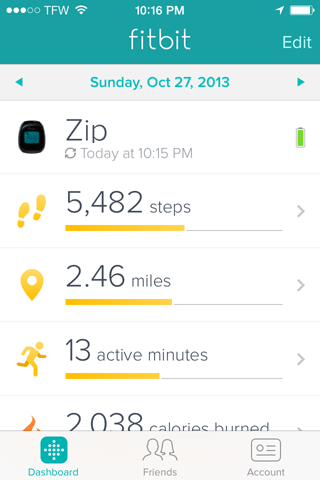
- A Fitbit is an activity tracking device with apps available for the PC, iPhones and Android-based smartphones. Fitbit is worn or carried to record activities such as steps, active minutes, distance travelled, etc.
- Question:
- How does ChallengeRunner use Google Health (Fitbit)?
- Answer:
- The ChallengeRunner fitness challenge system is used by wellness administrators to create health and wellness challenges for clients or employees. By integrating with Google Health (Fitbit), ChallengeRunner allows admins to create fitness challenges where participant data is automatically collected.
- Question:
- How do I obtain a Fitbit and smartphone App?
- Answer:
- A Fitbit can be purchased online or through many retailers. The Google Health (Fitbit) smartphone App can be downloaded free-of-charge to your iPhone or Android phone directly from their respective app stores.
- Question:
- How do I obtain a ChallengeRunner ID and Password?
- Answer:
- Once you have been invited to a fitness challenge, you are either assigned an ID and password by your administrator or must click on a link where you will create one.
- Question:
- How do I link ChallengeRunner to a Google Health (Fitbit)?
- Answer:
-
ChallengeRunner must be authorized to collect data recorded by a Fitbit. To authorize ChallengeRunner,
perform the following steps: (Note - You must already have a Fitbit account to authorize ChallengeRunner)
- Log into ChallengeRunner using your ID and Password (See Above)
- Click the Profile menu option under your name in the upper right hand corner
- Select Google Health (Fitbit) from the dropdown and click the Authorize link
- A Google authorization page will appear. Select your account to continue
- On the authorization page select the desired permissions and click Agree or Continue
- The Google Health webpage will be redirected back to ChallengeRunner. You have now completed registration.
- Question:
- How do I log challenge activities?
- Answer:
- Google Health (Fitbit) data will be collected automatically based on your devices syncing ability and transmitted throughout the day to ChallengeRunner.